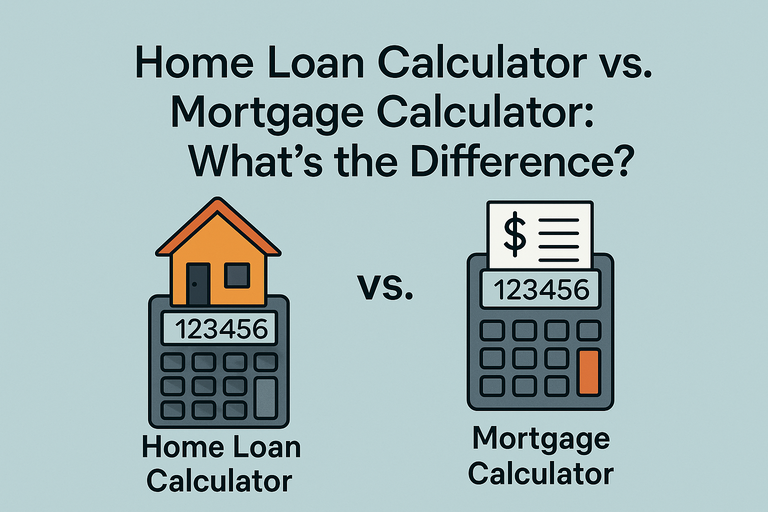
When navigating the world of homeownership, terms like “home loan calculator” and “mortgage calculator” often pop up, leaving many wondering if they’re interchangeable or distinct tools. While both help estimate costs related to financing a home, they serve slightly different purposes, focus on different components, and are best used in specific scenarios. Understanding their differences can save you time and ensure you’re using the right tool for your financial planning. Below, we break down the terminology, when to use each, and how they address all-in versus base payments. Explore our Home Loan Calculator or Mortgage Calculator to get started.
Terminology: Home Loan vs. Mortgage
At their core, both terms refer to financing used to purchase a home, but there’s a subtle distinction:
Mortgage: A mortgage is a specific type of loan secured by real estate, where the property acts as collateral. It typically includes principal and interest, and often escrows for property taxes and homeowners insurance (collectively known as PITI: Principal, Interest, Taxes, Insurance). Mortgages are offered by banks, credit unions, or mortgage lenders and come in various forms, like fixed-rate or adjustable-rate.
Home Loan: This is a broader term encompassing any loan used to buy, refinance, or improve a home. It includes mortgages but can also cover home equity loans, HELOCs (Home Equity Lines of Credit), or other financing options not tied directly to the property as collateral. For simplicity, many use “home loan” and “mortgage” interchangeably, but calculators bearing these names reflect their nuanced focuses.
What Is a Home Loan Calculator?
A home loan calculator is a versatile tool designed to estimate costs across various home financing scenarios. It’s not limited to traditional mortgages and can account for different loan types, such as FHA, VA, or home equity loans. These calculators often allow you to input variables like loan amount, interest rate, term, and sometimes additional factors like down payments or closing costs.
Key Features:
Flexibility: Handles multiple loan types (mortgages, home equity loans, etc.).
Comprehensive Inputs: May include down payment, credit score impact, or loan-specific fees.
Use Case: Ideal for early-stage planning when you’re exploring financing options or comparing loan products.
For example, if you’re considering a VA loan with no down payment or a home equity loan for renovations, a home loan calculator provides a broader lens to estimate monthly payments or total costs. Try our Home Loan Calculator to explore different scenarios.
What Is a Mortgage Calculator?
A mortgage calculator focuses specifically on mortgage loans, emphasizing the PITI components. It’s designed to give a precise estimate of your monthly mortgage payment, factoring in principal, interest, property taxes, homeowners insurance, and, if applicable, private mortgage insurance (PMI) or HOA fees.
Key Features:
Detailed Breakdown: Includes escrow costs (taxes, insurance) for a complete “all-in” payment.
Precision for Mortgages: Tailored to fixed-rate, adjustable-rate, or other mortgage-specific terms.
Use Case: Best for buyers or homeowners who’ve settled on a mortgage and need to budget for the full monthly obligation.
For instance, if you’re finalizing a 30-year fixed-rate mortgage and want to know how taxes and insurance affect your payment, a mortgage calculator is your go-to. Check out our Mortgage Calculator for a detailed breakdown.
All-In vs. Base Payment
The biggest practical difference between the two calculators lies in their scope:
Home Loan Calculator (Base Payment): Focuses on the core loan components—principal and interest—and sometimes down payment or fees. It’s ideal for comparing loan options or getting a baseline cost before factoring in escrow items. This makes it a lighter, more flexible tool for early-stage planning or non-mortgage home financing.
Mortgage Calculator (All-In Payment): Provides a comprehensive view by including taxes, insurance, PMI, and sometimes HOA fees. This reflects the actual amount you’ll pay monthly to your lender or servicer, making it essential for budgeting once you’re ready to commit to a mortgage.
For example, a home loan calculator might estimate a $300,000 loan at 5% interest over 30 years as $1,610/month (principal and interest only). A mortgage calculator, however, might show $2,200/month once it adds $400 for taxes, $150 for insurance, and $40 for PMI. The choice depends on whether you need a quick estimate or a full financial picture.
When to Use Each Calculator
Here’s a guide to help you decide which tool fits your needs:
Scenario | Best Tool | Why |
|---|---|---|
Comparing mortgage vs. home equity loan | Home Loan Calculator | Broad scope for different loan types |
Budgeting for total monthly payment | Mortgage Calculator | Includes PITI for accurate budgeting |
Exploring down payment impacts | Home Loan Calculator | Flexible inputs for early planning |
Estimating escrow costs | Mortgage Calculator | Accounts for taxes, insurance, PMI |
Planning renovations with a HELOC | Home Loan Calculator | Handles non-mortgage financing |
Finalizing a mortgage offer | Mortgage Calculator | Precise for mortgage-specific terms |
Early-Stage Buyers
If you’re still shopping for a home or weighing financing options (e.g., FHA vs. conventional), start with a home loan calculator to get a sense of affordability. It’s less rigid and lets you tweak variables like down payment or loan type without needing exact tax or insurance figures.
Committed Homeowners or Buyers
Once you’ve chosen a property and mortgage type, switch to a mortgage calculator. You’ll need specifics like property tax rates (often available from local assessors) and insurance quotes to get an accurate all-in payment. This is critical for avoiding surprises when your first bill arrives.
Why the Distinction Matters
Using the wrong calculator can lead to misinformed decisions. A home loan calculator might underestimate your true costs by omitting taxes or insurance, while a mortgage calculator could overwhelm you with details if you’re just exploring options. By understanding their purposes, you can align your planning with your stage in the homebuying or refinancing process.
Practical Tips
Start Broad, Then Narrow: Use a home loan calculator early to compare loan types, then refine with a mortgage calculator once you have property details.
Check Local Rates: Property taxes vary widely (e.g., 0.5% in Hawaii to 2.5% in New Jersey). For mortgage calculators, input accurate local data.
Update Regularly: Interest rates and insurance costs change. Revisit calculators as you get closer to applying.
Interlink for Clarity: Our Home Loan Calculator is great for initial estimates, while the Mortgage Calculator ensures you’re ready for the full payment.
FAQ
Can I use a home loan calculator for a mortgage? Yes, but it may only show principal and interest, missing taxes or insurance. For a full picture, use a mortgage calculator.
Do mortgage calculators include PMI? Most do, if you input a down payment below 20%. Check the calculator’s settings to confirm.
How accurate are these calculators? They’re as accurate as the data you provide. Use current rates and local tax/insurance estimates for best results.
By choosing the right calculator, you’ll gain clarity on your home financing options and avoid costly missteps. Whether you’re dreaming of a new home or refining your current mortgage, start with our Home Loan Calculator for flexibility or the Mortgage Calculator for precision. Your budget will thank you.